( 01 / 14 )
Ten immediate actions to enhance your online security
→ next ← back F full screen
Say nothing about the machine
( 02 / 14 )
Nobody chose you.
Most people think they are not worth attacking. Start there.
( 03 / 14 )
Live: is your email address in a data breach?
- Go to haveibeenpwned.com
- Type in an email address
- It lists every known breach that address appears in
Run it live with your own address. Check beforehand that it returns a result. Never put a result on a slide.
( 04 / 14 )
Attacking got cheap
Point at the second bar.
( 05 / 14 )
So it is now worth attacking almost anyone, and that includes you.
Nobody picked you out. It is now cheap enough to try everyone.
( 06 / 14 )
Build it in layers, like an onion
Scam emails written by AI no longer have spelling mistakes. Being careful is not enough on its own.
( 07 / 14 )
Layer one, live: a password manager
- Install Bitwarden: free and open source
- Let it make one long, random password
- Let it fill that password in for you
Use a throwaway vault made for today, never the real one. About ninety seconds.
( 08 / 14 )
Three common questions
- Forget the master password? Write it on paper and keep it safe at home.
- They get hacked? Your vault is locked before it leaves your device.
- Your phone? The same app fills in passwords there too.
These are what stop people starting. LastPass has been breached more than once: anyone on it should move.
( 09 / 14 )
Layer two, live: change your DNS
- Change who your computer asks for website addresses, and known scam sites stop loading
- One free setting, and it stays changed
Quad9, 9.9.9.9, run by a Swiss non-profit. Show the setting in Linux Mint.
( 10 / 14 )
Layer three: unplug the backup drive
- Ransomware locks every drive it can reach, including a backup that is always plugged in
- Plug it in, let it run, unplug it
One habit, nothing to buy. The full rule is three copies, on two kinds of storage, one kept somewhere else.
( 11 / 14 )
Your accounts and your computer
- 04 Two-step loginTurn it on for your email first. Every other password resets through it.
- 05 PasskeysUse one wherever a site offers it. A fake website cannot get it from your phone.
- 06 UpdatesInstall them when asked. Many close security holes.
- 07 Built-in protectionLeave Windows Security switched on and read its warnings.
Thirty seconds each, no more
( 12 / 14 )
Messages and passwords
- 08 Urgent messagesIf it says act now, stop. Call back on a number you already have.
- 09 Breached passwordsChange any password Have I Been Pwned turned up.
- 10 Sharing passwordsNever send one by email or text.
Thirty seconds each, no more
( 13 / 14 )
An old laptop. A five-pound memory stick.
The reveal
( 14 / 14 )
Photograph this
Ten actions
- 1 Password manager · 2 Safer DNS · 3 Unplug the backup drive
- 4 Two-step login · 5 Passkeys · 6 Updates · 7 Built-in protection
- 8 Call back on urgent messages · 9 Change breached passwords · 10 No passwords by message
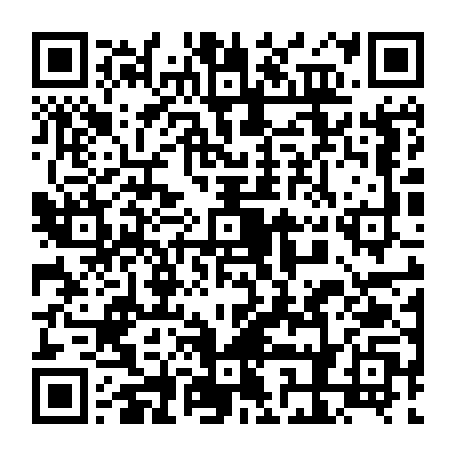
The three in bold are the three layers